
I previously wrote an article describing the different Order settings of Salesforce OOTB. Once you have enabled those settings, some additional adjustments can still be made at either a profile or permission set level to allow users edit activated orders.
All of the below settings are in the App Permissions in the Sales section:
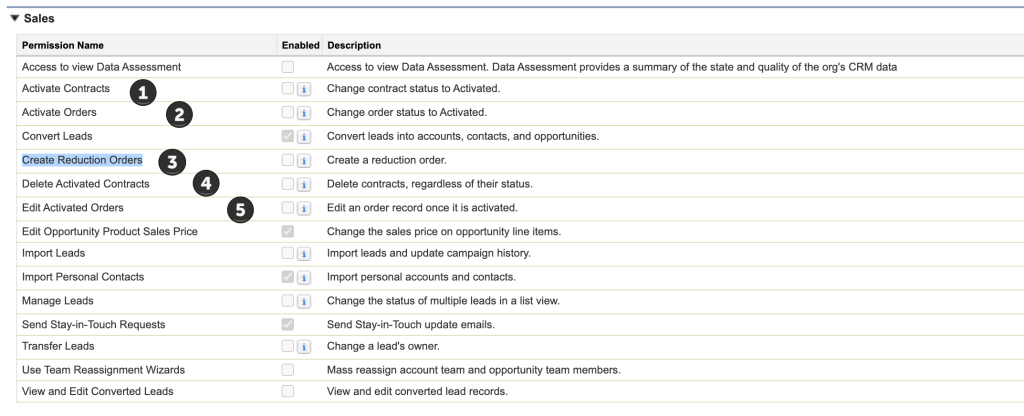
2. Activate Orders – this will be needed if the user will be setting the Order to Active – this is an important step in the ordering process, so any user involved should have this permission.
3. Create Reduction Orders – this is in conjunction with enabling reduction orders via the Order Settings. This allows a user to be able to take this action.
4. Delete Activated Contracts – this is a setting that very few people should have given the implications of deleting a Contract.
5. Edit Activated Orders – this setting is important if you have users that will need to modify something on the Order after it is activated; otherwise, they will get presented with a validation rule.
 sf9to5
Is it possible to lock the activated date for first time irrespective of order status toggling by external integration system updates
LikeLike
Toggling the status will adjust the activated date, as the system is using that to propogate to other places, like the contract and order products. I would recommend a secondary field if you need to keep the information stored. Keep in mind once products are activated and/or contracted, there is a multi-step process to rolling the order back to draft.
LikeLike